Camper Service

25,000+ entries in 47 countries

Empty your tanks without hunting for a place.

Camper Service shows where to dump grey water, empty the toilet cassette and fill up with fresh water across Europe, Australia and New Zealand. Every entry is stored on your device, so the app works even without a signal.

Download on the App Store For iPhone, iOS 18 or later Google Play from spring 2027

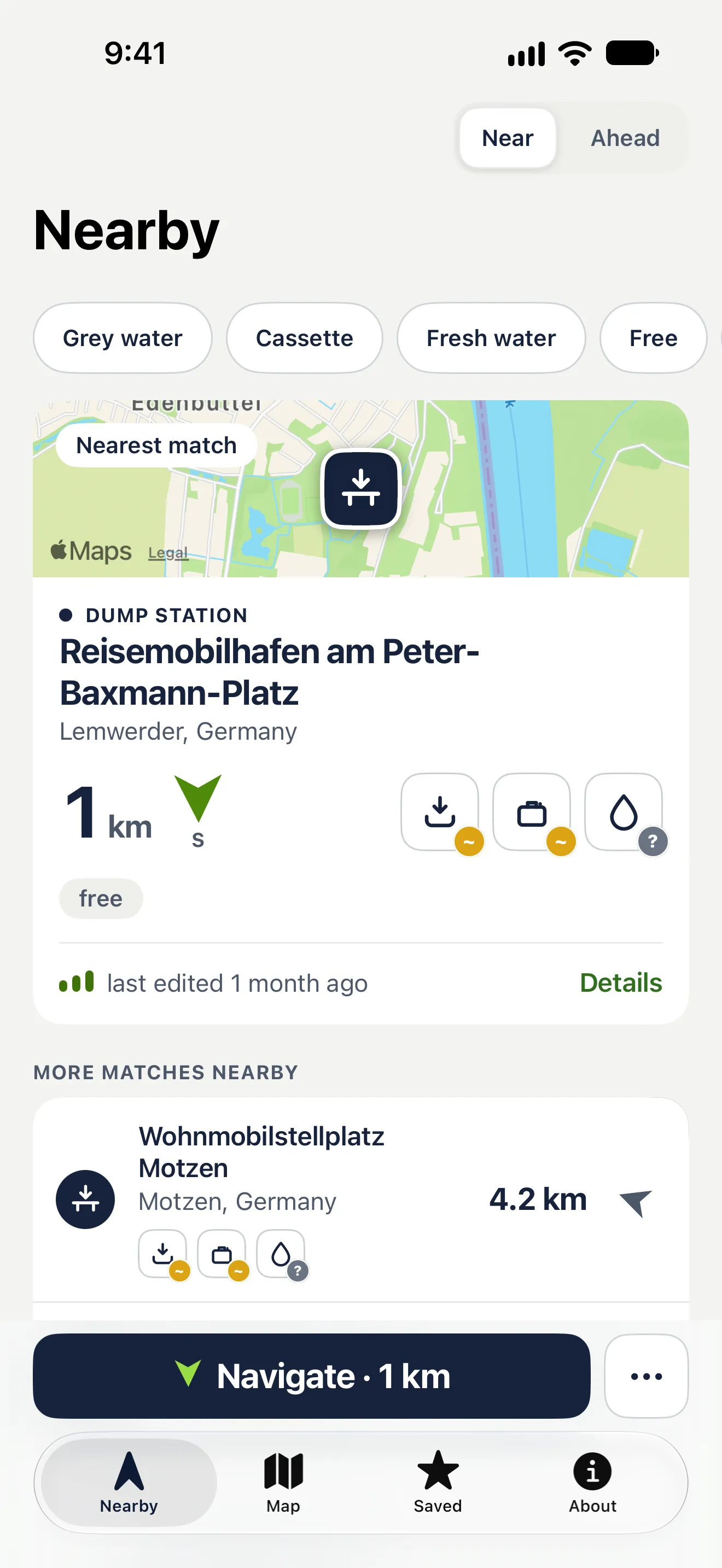
App screenshot: the Nearby list with map, the nearest dump station, distance and direction arrow

What the app does

Route

Plan a trip and see every dump point along the way — sorted by kilometre, with the distance from your route and a heads-up where nothing comes for a long stretch. Once calculated, it works offline. It is a car route from Apple Maps: it knows nothing of height and weight limits.
Search for a place

Search the map for a town and see what is there — even without a signal. With a network, the search also finds addresses through Apple Maps.

The nearest station, right away

The nearest matching entry sits at the top, with distance, direction arrow and the three features. Below it, the whole list sorted by distance.

App screenshot: the Nearby list with map, the nearest dump station, distance and direction arrow

CarPlay

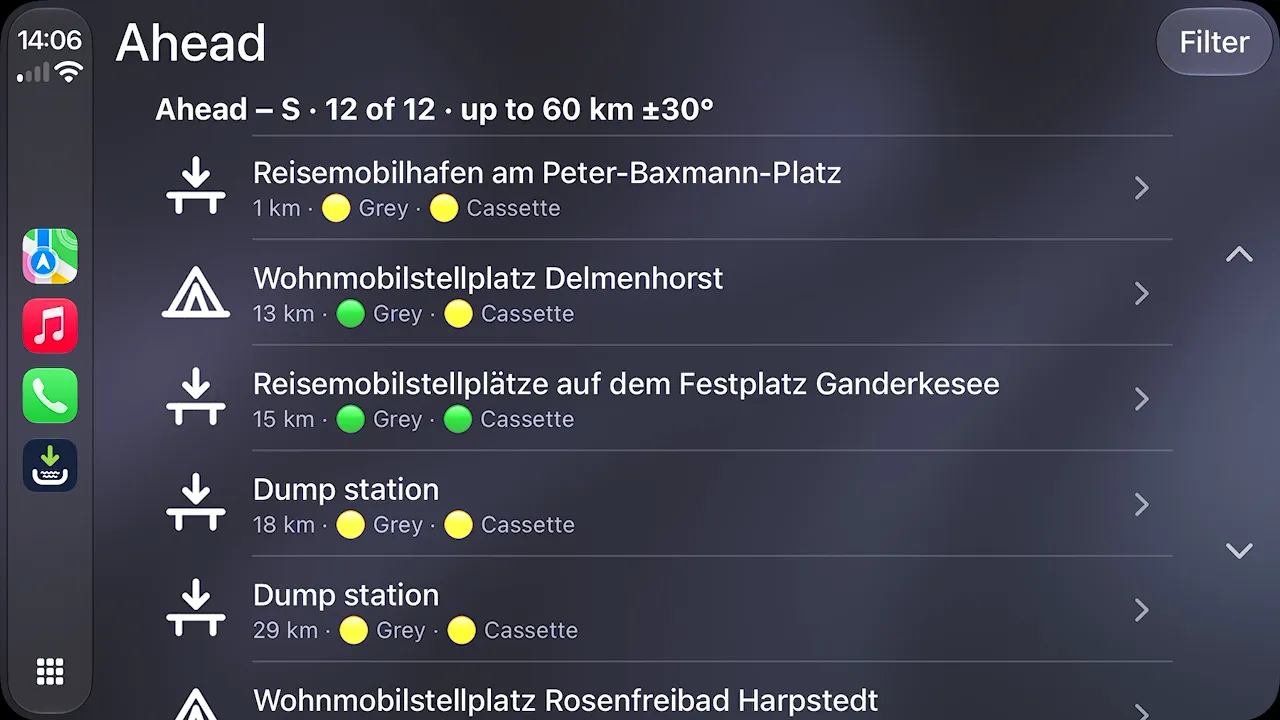
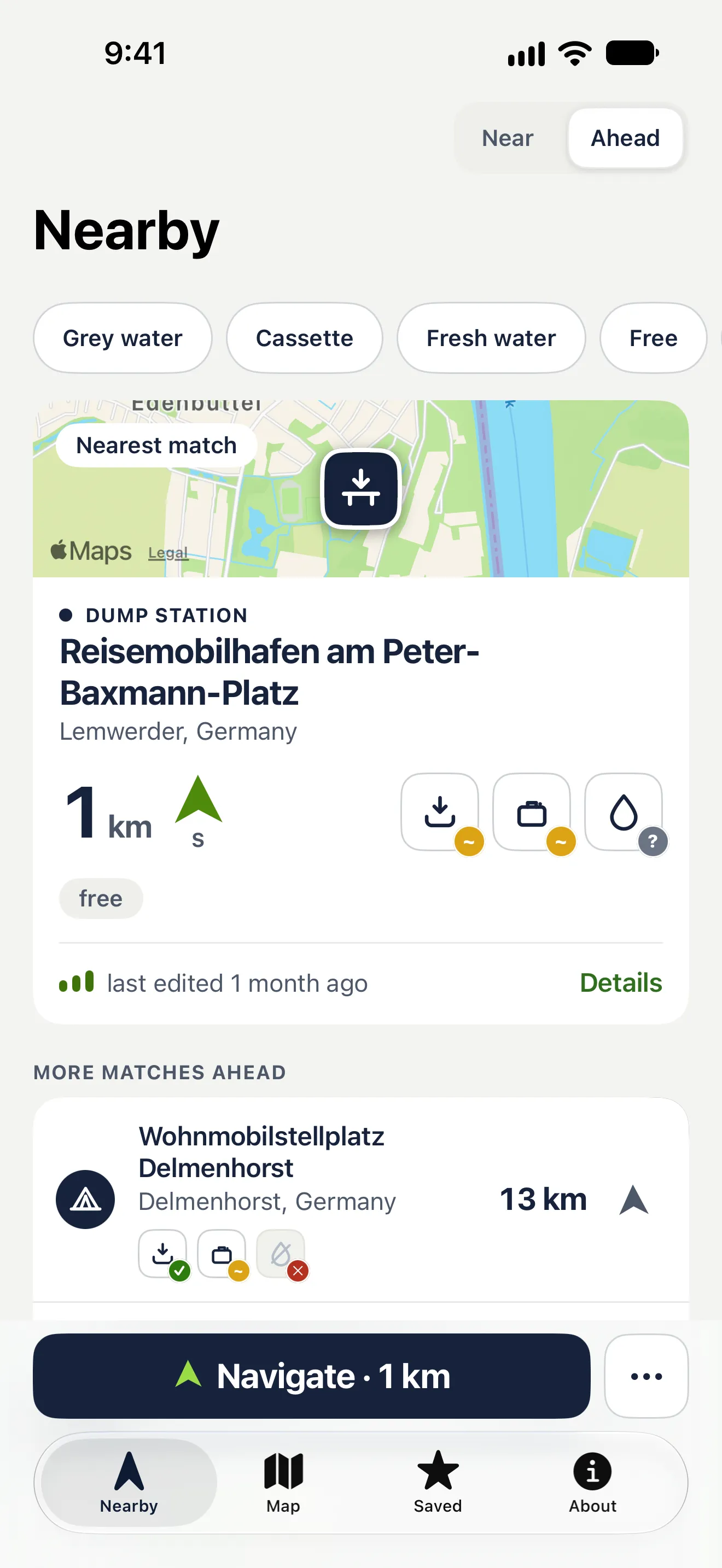
The car display shows up to twelve matching stations ahead of you, within 60 km. One tap on “Navigate” hands over the destination. With a planned route, “Ahead” shows the next places along it.

CarPlay screenshot: the list of stations ahead with distances

Even without a signal

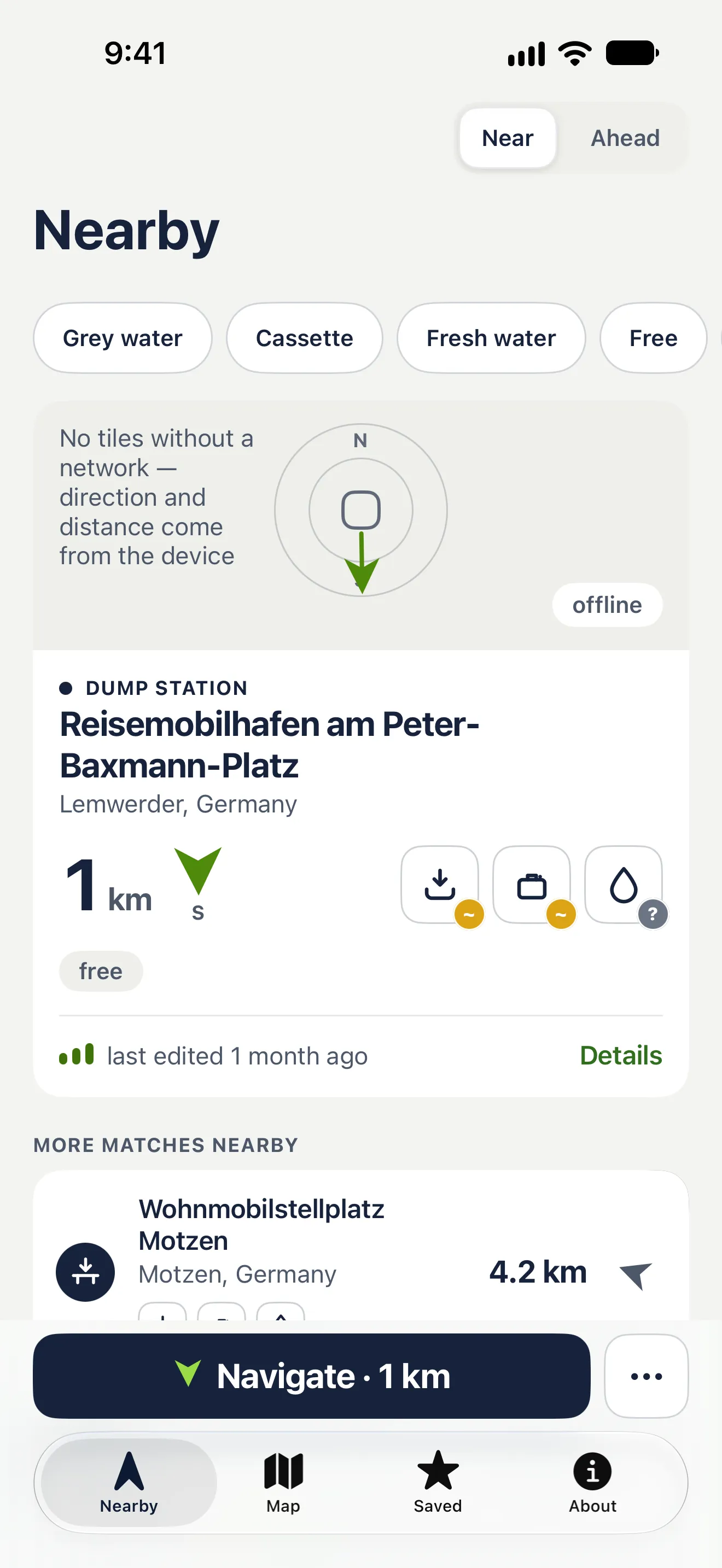
The list, direction arrow and details come from your device. With no network a direction dial replaces the map — only the map tiles need a connection.

App screenshot without a network: a direction dial instead of the map

Four steps to an empty tank

On the road there is little time. So there is no search and no sign-up, just four moves.

  1. 01

    Open the app

    The nearest matching station is right at the top, with distance and direction.

  2. 02

    Set your filters

    Grey water, cassette, fresh water. Plus free of charge, open 24/7, not guests-only.

  3. 03

    Drive there

    One tap hands the destination to Apple Maps, Google Maps or Waze — in CarPlay straight on the car display.

  4. 04

    Check on site

    Signs and the operator’s instructions come first. If something is wrong, report it from the app to OpenStreetMap.

App screenshot: Ahead mode with the stations in your direction of travel
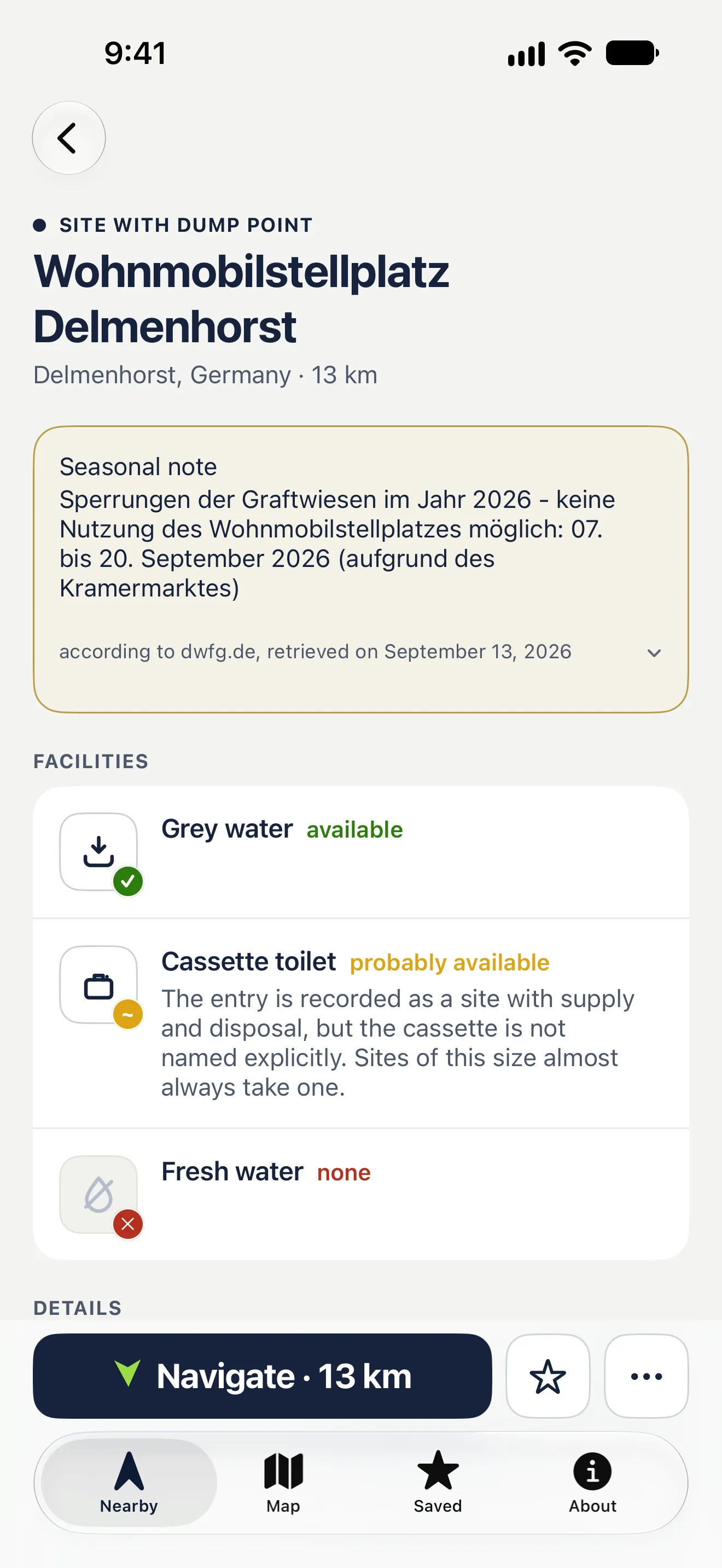
App screenshot: detail view with facilities — grey water available, cassette likely, fresh water none

Honest data

If something is not in the data, the app does not claim it. Every feature of a station — grey water, cassette, fresh water — carries one of four states, and you can see when the entry was last edited.

  • Yes confirmed in the data
  • Likely a reasoned estimate, not a confirmation
  • No ruled out in the data
  • Unknown the data says nothing about it

Widget and Siri

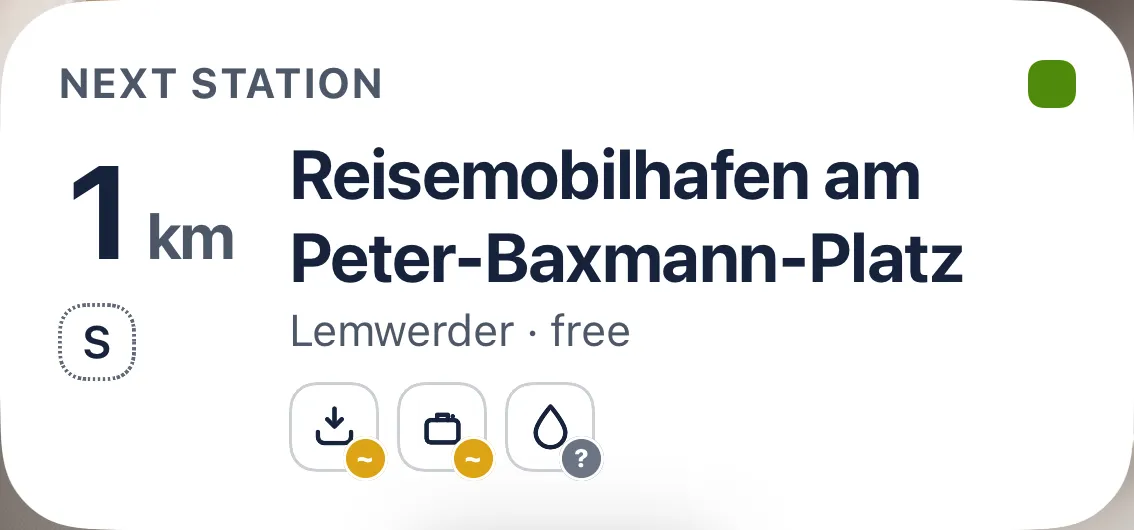
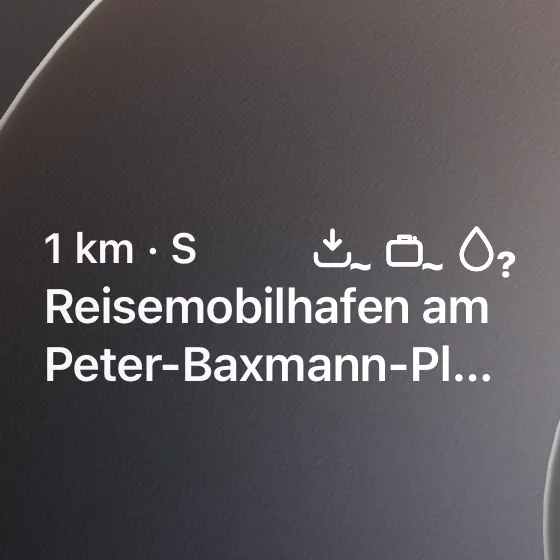
The widget shows the nearest place on your Lock Screen or Home Screen, with distance and direction. Siri tells you on request.

Lock Screen widget with the nearest place, distance and features

Free or with a one-time purchase

Free

  • the map around you
  • search for a place
  • the detail view
  • every filter
  • navigation
  • the four nearest entries in the list
  • three saved places
  • planning and saving a route, with the entries of the first 50 km

With the purchase

  • CarPlay, including with a route
  • the complete list and the map without a radius limit
  • the whole route without a kilometre limit
  • Ahead mode
  • as many saved places as you like
  • every Siri shortcut
  • the widget
  • no ads

One-time purchase, no subscription. The App Store shows the price.

No account, no ad profile

No sign-up, no ad profile. The free version shows ads in the list and on the detail screen — never personalised, never on the map. Usage statistics count which features are used; you can turn them off in the settings. The app never uploads your location. What does leave your device is explained in the privacy policy.

Where the data comes from

The stations come from OpenStreetMap, collected by volunteers across Europe, Australia and New Zealand. In Australia the dump points of the National Public Toilet Map are added, as a layer of their own. Every app update ships a fresh data set. If something is wrong, report it straight from the app to OpenStreetMap, where it gets fixed for everyone. More about the data

Get Camper Service

Download it free and set off. The one-time purchase unlocks CarPlay, the whole route and the complete list.

Download on the App Store For iPhone, iOS 18 or later Google Play from spring 2027

Camper Service · Dump stations & fresh water